MANUAL CAMERA FOR IPHONE
Control, given back.
Shutter, ISO, white balance and focus — set them yourself, dial by dial. Shoot RAW with Just Light and see exactly what the sensor captured — no automatic HDR, no aggressive sharpening.
7-day free trial on every subscription plan.
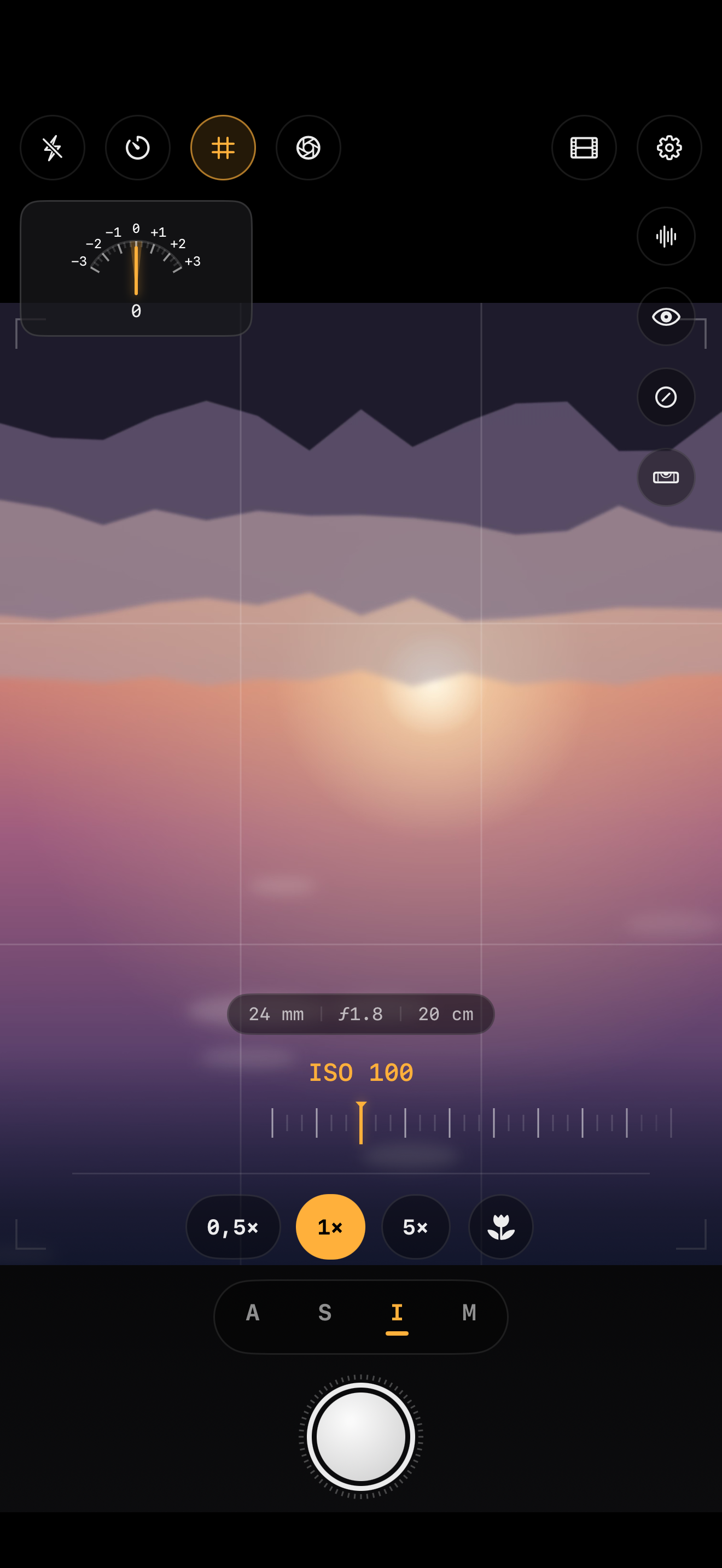
- SHUTTER
- 1/125
- ISO
- 200
- APERTURE
- ƒ/1.8
- WB
- 5600K
UNDER THE VIEWFINDER
Every setting, within reach.
Move from assisted auto to full manual control. Scatto puts the same reading tools as a professional camera right on your iPhone's screen.
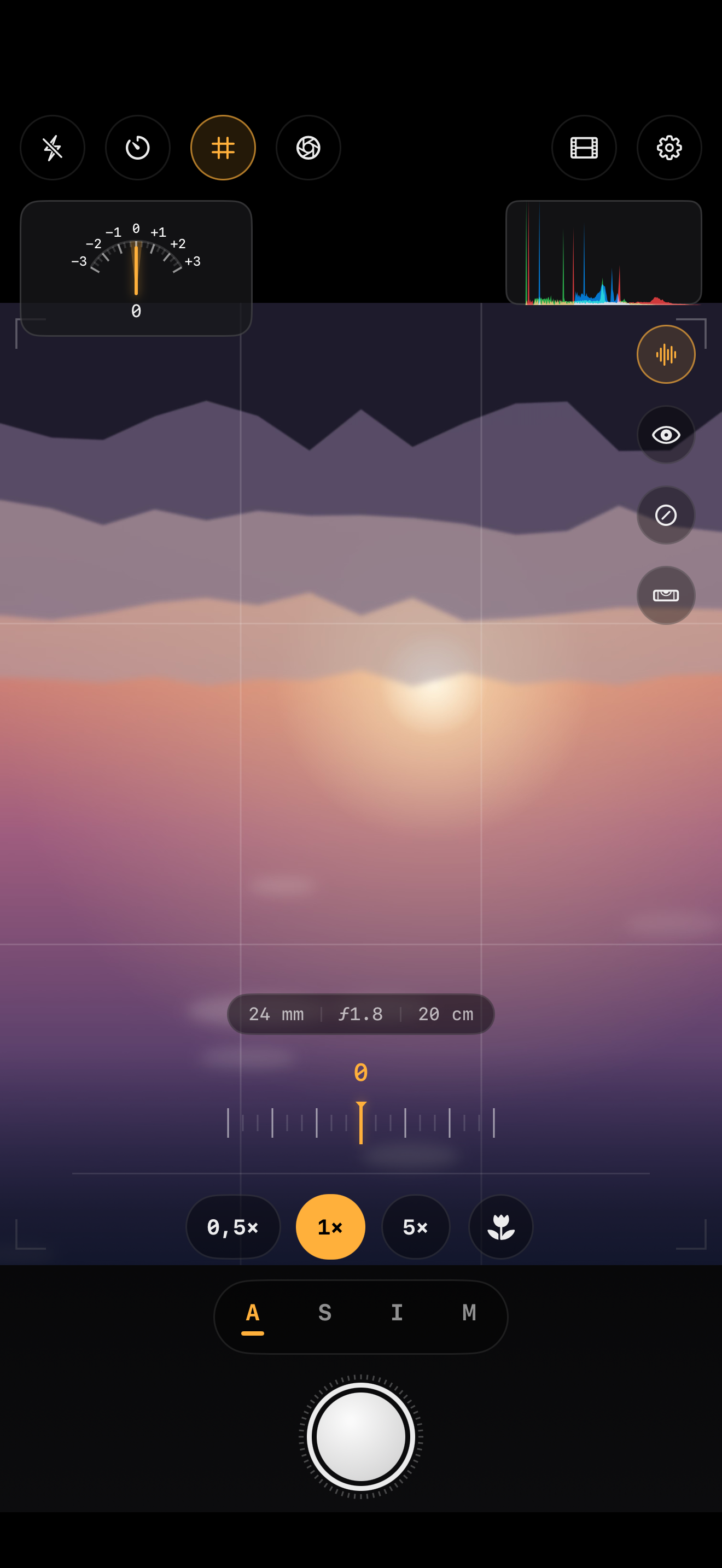
AUTO
Assisted automatic
A smart starting point for shooting right away — without ever losing the ability to step in.
VIEWFINDER
Tap, lock, pinch
Tap to focus and expose, long-press for AE/AF lock, pinch for continuous zoom: a viewfinder that responds like a camera body.
SHUTTER
Always-ready shutter
Development happens in the background: shoot in quick succession with no waiting — with the volume buttons or the iPhone 16 Camera Control too.
REVIEW
Review without leaving
The last shot's thumbnail stays in the viewfinder: zoom, full EXIF, histogram and, for RAW, a hold-to-compare against Apple's processing.
MANUAL
Priority and full manual
Shutter Priority, ISO Priority, or full Manual with long exposures up to the sensor's limit: choose what you control.
FOCUS
Manual focus
Continuous manual focus ring, with focus peaking so you can see exactly what's sharp before you shoot.
METER
Analog exposure meter
A needle that moves in real time, just like on a mechanical camera: read your exposure at a glance.
HISTOGRAM
Live histogram
Real-time tone distribution, free for everyone; with Pro, zebra stripes flag blown highlights at a glance.
MACRO
Macro mode
Get close to the details with close-focus control built for macro work.
LENS
Per-lens readouts
Equivalent focal length, real aperture and sensor coverage: your lens's technical data, always on screen.
RAW · BAYER · ZERO INTERVENTIONS
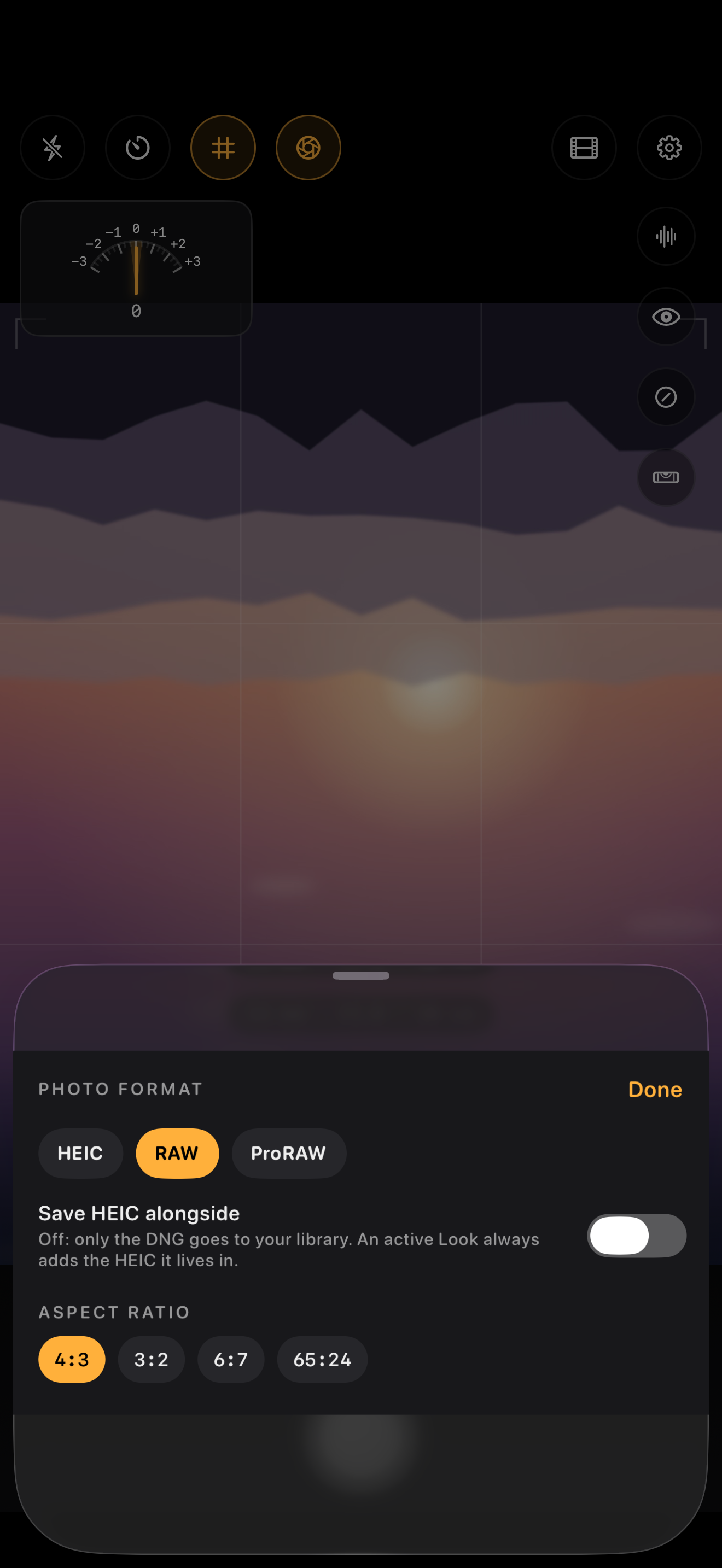
The photo your sensor saw, not the one an algorithm imagined.
Most phone cameras stack multiple frames, apply automatic HDR and aggressive sharpening before you even see the preview. The result often looks processed rather than photographed.
Just Light does the opposite: it captures a single Bayer RAW frame and hands it to you with the minimum processing required. No multi-frame fusion, no pushed local contrast, no fake texture.
- Single-frame Bayer RAW capture
- No automatic HDR or multi-shot fusion
- No aggressive sharpening or synthetic texture
- Your library gets the negative: pure DNG, no forced sidecar
- Optionally, an HEIC companion with adaptive gain map: real HDR with zero tone mapping
- In the review, press and hold to compare the very same scene with Apple's processing
- The starting file for your own edit, not the finish line
Multi-shot fusion, pushed HDR, aggressive sharpening, synthetic texture
Single RAW frame, minimal processing, the sensor's full dynamic range
12 SIMULATED EMULSIONS
Film color, calculated — not a filter.
Scatto's film looks are procedural profiles built on the color response of real film stocks: color curves, grain and tint computed on the RAW file, not a preset slapped on top of a JPEG.
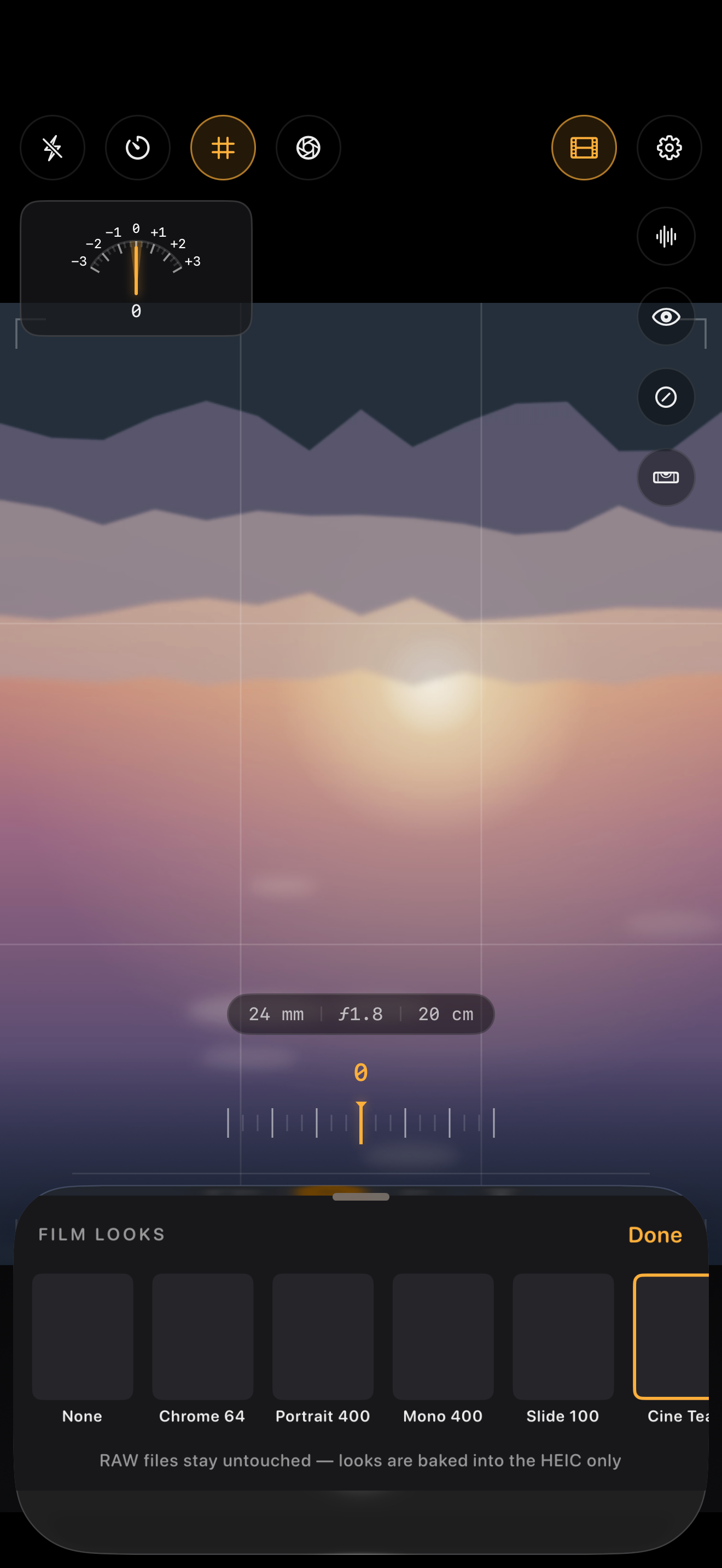
Chrome 64
Slide film from the '60s with saturated reds and olive greens, full contrast: the classic look of landscape film.
Portrait 400
Portrait negative with protected skin tones and warm shadows: built for natural light and backlit faces.
Mono 400
Classic black and white with marked silver grain for an image that won't compromise on tone.
Slide 100
Modern slide with saturated clean colors and invisible grain: the neutral foundation of conservative photography.
Cine Teal
Cinema print with teal shadows and golden highlights, protected skin tones: the aesthetic of cinematic color grading.
Instant
Instant with milky highlights and a warm cast: the white bloom of freshly-developed instant film.
Negative 200
Golden consumer negative with the warm colors of family summers: soft skin tones and gold-tinted shadows.
Night 800
Tungsten night negative with teal shadows and marked red halation: built for night portraiture.
Cross Pro
Cross-processing with yellow-green highlights and cyan shadows: the deliberate color shift of cross-printed film.
Bleach
Desaturated bleach bypass with steel contrast and vivid skin tones: the metallic look of clean printing.
Pan 50
Low-speed black and white with finest grain and dark skies from a red filter: natural contrast and tonality.
Mono Push
Black and white pushed to 1600 with brutal contrast and chunky grain: the loaded look of pushed film.
2 looks included in the free version (Chrome 64 and Mono 400). All 12 with Scatto Pro.
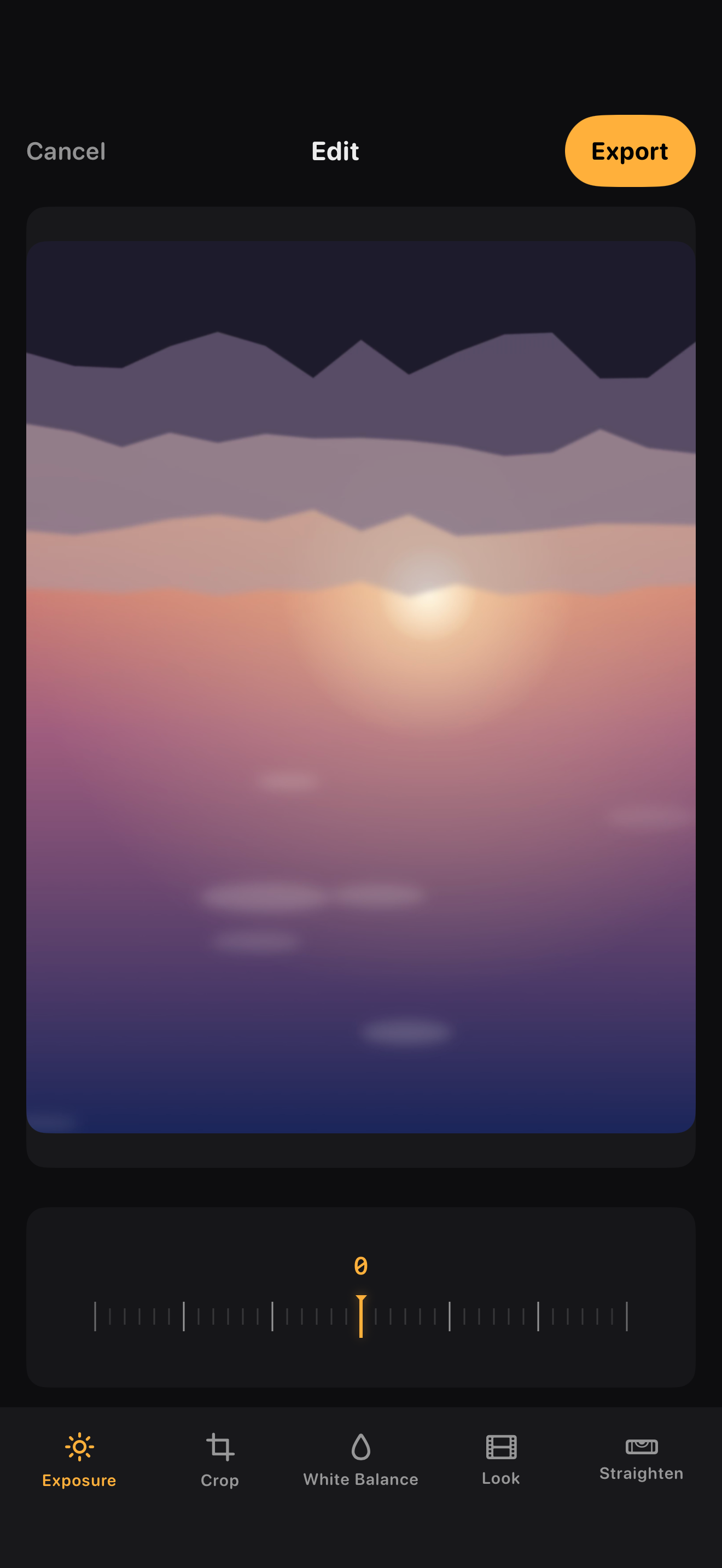
QUICK EDIT · NON-DESTRUCTIVE
Refine it without betraying the shot.
Quick Edit always works on a copy of the parameters, never on the original pixels. For RAW shots every adjustment re-develops the digital negative: real highlight recovery, not a pixel touch-up.
- Exposure and white balance
- All 12 Film Looks, with a true preview
- Horizon straightening
- Crop and aspect ratio
- Before/after to compare every edit
PRICING
Free forever. Pro when you're ready.
Scatto is free to shoot in automatic mode. Unlock Scatto Pro for full manual control, RAW and every film look.
Free — Auto mode, HEIC format, 2 film looks and the basic editor: forever, at no cost.
| Free vs Pro, feature by feature | Free | Pro |
|---|---|---|
| Automatic mode | ||
| HEIC format | ||
| Film looks | 2 of 12 | All 12 |
| Quick Edit | Basic | Full |
| RAW Bayer, Just Light & ProRAW | ||
| Manual controls (shutter, ISO, WB, focus) | ||
| Exposure meter & live histogram | ||
| Focus peaking | ||
| Zebra stripes on highlights | ||
| Macro mode | ||
| Lens technical readouts |
Prices include VAT where applicable and are charged through your App Store account. Subscriptions renew automatically unless cancelled at least 24 hours before the end of the current period, manageable from your Apple ID settings.
FAQ
Frequently asked questions
Do I need a subscription to use Scatto?
No: automatic mode, HEIC format, 2 film looks, the analog exposure meter, live histogram and the basic editor are free forever. The Pro subscription unlocks RAW, Just Light, full manual controls, focus peaking, zebras, macro and all 12 film looks.
What exactly is Just Light?
It's Scatto's RAW capture mode: a single Bayer frame with the minimum processing required, with no automatic HDR or aggressive sharpening — the file that stays as close as possible to what the sensor recorded.
Does Scatto send my photos to a server?
No. Scatto has no backend: every shot, every RAW file and every edit stay on your iPhone. There are no trackers and no user analytics of any kind.
Can I switch between plans?
Yes — from your Apple ID settings you can switch between monthly and annual subscriptions, or purchase the lifetime license, at any time.
What happens if I cancel my subscription?
You keep access to Scatto Pro until the end of the period you already paid for; after that, the app reverts to the free version without losing any photos you've already taken.
Which iPhones does Scatto support?
Scatto requires an iPhone with a RAW-capable camera and the iOS version listed on the App Store product page; up-to-date details are on the Support page.